This is an optimised and bug fixed version of nojer at yahoo dot com's rotatedellipse function. I've changed it so that the arguments are compatible with imageellipse. See notes on imagearc for original version.
<?php
function rotatedellipse($im, $cx, $cy, $width, $height, $rotateangle, $colour, $filled=false) {
// modified here from nojer's version
// Rotates from the three o-clock position clockwise with increasing angle.
// Arguments are compatible with imageellipse.
$width=$width/2;
$height=$height/2;
// This affects how coarse the ellipse is drawn.
$step=3;
$cosangle=cos(deg2rad($rotateangle));
$sinangle=sin(deg2rad($rotateangle));
// $px and $py are initialised to values corresponding to $angle=0.
$px=$width * $cosangle;
$py=$width * $sinangle;
for ($angle=$step; $angle<=(180+$step); $angle+=$step) {
$ox = $width * cos(deg2rad($angle));
$oy = $height * sin(deg2rad($angle));
$x = ($ox * $cosangle) - ($oy * $sinangle);
$y = ($ox * $sinangle) + ($oy * $cosangle);
if ($filled) {
triangle($im, $cx, $cy, $cx+$px, $cy+$py, $cx+$x, $cy+$y, $colour);
triangle($im, $cx, $cy, $cx-$px, $cy-$py, $cx-$x, $cy-$y, $colour);
} else {
imageline($im, $cx+$px, $cy+$py, $cx+$x, $cy+$y, $colour);
imageline($im, $cx-$px, $cy-$py, $cx-$x, $cy-$y, $colour);
}
$px=$x;
$py=$y;
}
}
function triangle($im, $x1,$y1, $x2,$y2, $x3,$y3, $colour) {
$coords = array($x1,$y1, $x2,$y2, $x3,$y3);
imagefilledpolygon($im, $coords, 3, $colour);
}
?>imageellipse
(PHP 4 >= 4.0.6, PHP 5, PHP 7, PHP 8)
imageellipse — Bir elips çizer
Açıklama
imageellipse(
GdImage
int
int
int
int
int
): bool
GdImage
$görüntü,int
$merkez_x,int
$merkez_y,int
$genişlik,int
$yükseklik,int
$renk): bool
Belirtilen koordinatlar merkez olmak üzere bir elips çizer.
Bağımsız Değişkenler
görüntüimagecreatetruecolor() gibi bir görüntü oluşturma işlevinden dönen bir GdImage nesnesi.
mx-
Merkezin X konumu.
my-
Merkezin Y konumu.
genişlik-
Elipsin genişliği.
yükseklik-
Elipsin yüksekliği.
renk-
Elipsin rengi. imagecolorallocate() işlevi le oluşturulmuş bir renk tanıtıcı.
Sürüm Bilgisi
| Sürüm: | Açıklama |
|---|---|
| 8.0.0 |
görüntü bağımsız değişkeninde artık
bir GdImage nesnesi aktarmak gerekiyor; evvelce
resource türünde geçerli bir gd değeri
gerekirdi.
|
Örnekler
Örnek 1 - imageellipse() örneği
<?php

// Boş bir görüntü oluşturalım.
$image = imagecreatetruecolor(400, 300);

// Artalan rengini seçelim.
$bg = imagecolorallocate($image, 0, 0, 0);

// Artalanı seçtiğimiz renge boyayalım.
imagefill($image, 0, 0, $bg);

// Elips için bir renk seçelim.
$col_ellipse = imagecolorallocate($image, 255, 255, 255);

// Elipsi çizelim.
imageellipse($image, 200, 150, 300, 200, $col_ellipse);

// Görüntüyü çıktılayalım.
header("Content-Type: image/png");
imagepng($image);

?>
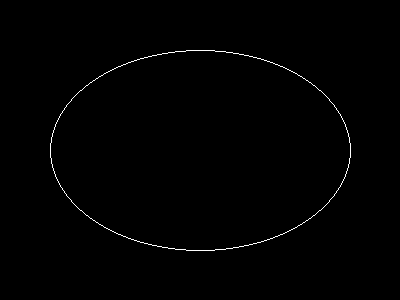
Yukarıdaki örnek şuna benzer bir çıktı üretir:
Notlar
Bilginize:
imageellipse() işlevi imagesetthickness() işlevini yoksayar.
Ayrıca Bakınız
- imagefilledellipse() - İçi dolu bir elips çizer
- imagearc() - Bir yay çizer
+add a note
User Contributed Notes 3 notes
simon_nuttall at hotmail dot com 
17 years ago
julian 
19 years ago
if you want to display an ellipse in the upper left corner of an image, you can easily calculate the corresponding cx and cy values. this example will draw an ellipse having the same width and height as the image.

<?php

$ellipse_width = 100;
$ellipse_height = 200;

$ellipse_cx = ($ellipse_width / 2);
$ellipse_cy = ($ellipse_height / 2);

$img_x = $ellipse_width;
$img_y = $ellipse_height;

$img = imagecreate($img_x, $img_y);
$bg = imagecolorallocate($img, 255,255,255);

$ellipse_color = imagecolorallocate($img, 0, 0, 0);

imageellipse($img, $ellipse_cx, $ellipse_cy, $ellipse_width, $ellipse_height, $ellipse_color);

header("Content-type: image/png");
imagepng($img);
imagedestroy($img);

?>
agentyoungsoo at hanmail dot net 
21 years ago
When you wana use "ImageEllipse" function
in under GD 2.0.2 version, you can use "ImageArc" like bellow

----------------------------------------------------
$file_name = "test.png";

$screen_x = 300;
$screen_y = 200;

$x1 = $screen_x / 2;
$y1 = $screen_y / 2;

$radius = 30;

$image = ImageCreate($screen_x, $screen_y);
$black = ImageColorAllocate($image, 0,0,0);

ImageArc($image, $x1, $y1, $radius , $radius , 0, 360, $black);

ImagePng($image, $file_name);
ImageDestroy($image);
----------------------------------------------------